
Cart 2 india


In2Cart
Rs. 0

0


Product Information
Specification
Brand : Wisoqu
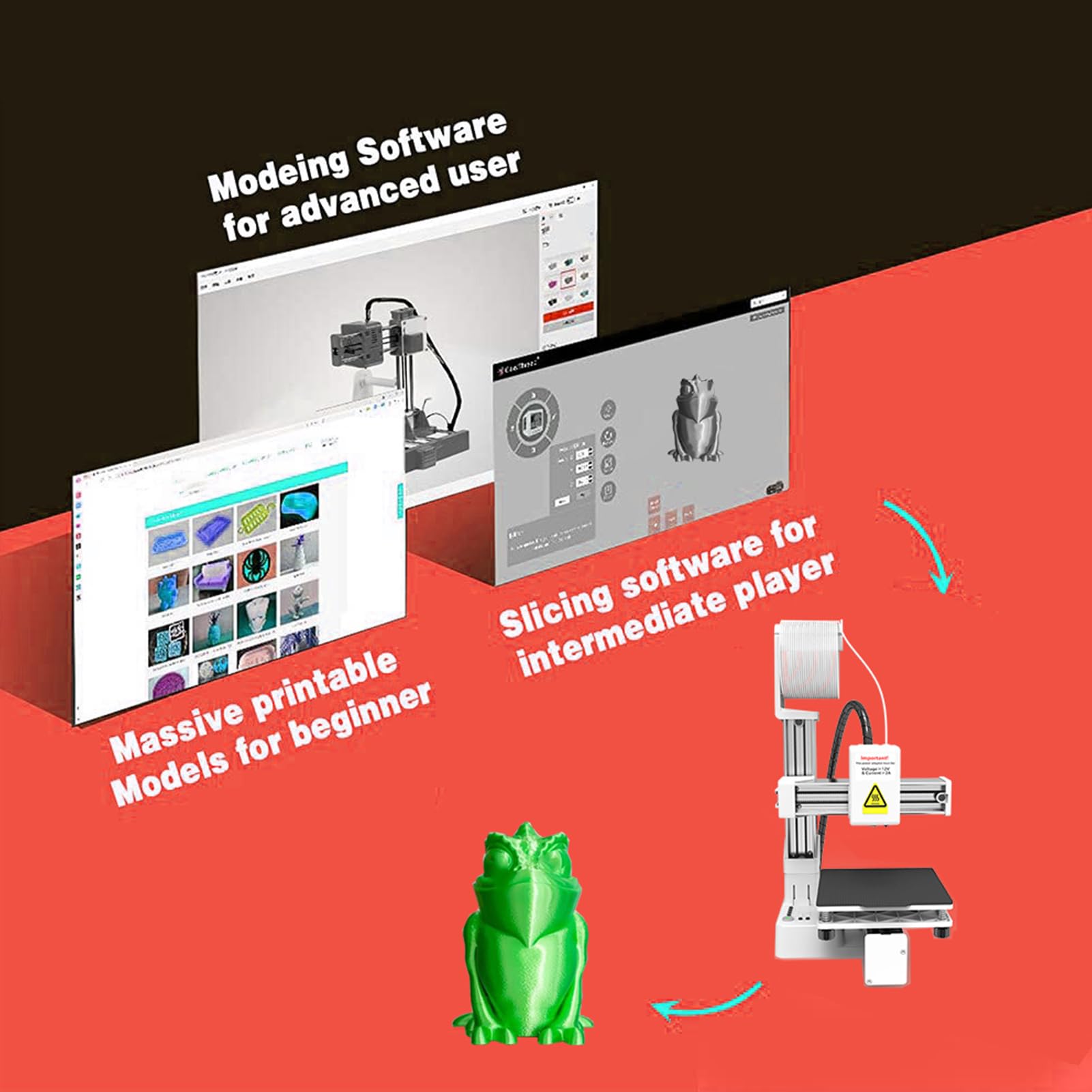
BulletPoint1 : User Friendly Setup And Operating: Designed with beginners in mind, this frequency division multiplexing 3D printer allows for easy usage even if you have no experience with 3D slicing software. Simply download the model files (Gcode files) onto a memory card, insert it into the printer, and you're ready to start printing. With straightforward controls, you can load materials by pressing the + key and easily unload them with the - key. This intuitive operating ensures you can focusing on
BulletPoint2 : Excellent Print Quality: The beginner 3D printer features a compact printing size of 4 x 4 x 4in (100 x 100 x 100mm) and is equipped with an excellent all metal nozzle. This design ensures optimal printing temperatures, significantly reducing the risk of printing errors. Supporting 1.75mm PLA and TPU filaments, it delivers high layer resolutions of up to 0.05mm, ensuring that each model is printed accurately with slick, vibrant results, suitable for educational and innovative projects.
BulletPoint3 : Rapid Heating And Printing: The frequency division multiplexing 3D printer is engineered for efficient heating, making it suitable for beginners. With a unique key system, you can effortlessly start, stop, and control the printing process. The nozzle heats evenly and reaches temperatures of 180°C in just 5 minutes, which is sufficient for PLA material. This fast heating capability minimizes downtime, allowing you to begin your projects quickly and efficiently.
BulletPoint4 : Versatile Printing Options: You can print from both included model files and downloaded online, offering versatility in your innovative projects. This feature enables you to explore a wide range of designs, fostering innovation and experimentation. The 3D printing machine serves as an excellent educational tool, encouraging kids to develop their spatial imagination and 3D perception through hands on learning experiences.
BulletPoint5 : Rugged Construction: Made from robust ABS material, this fully assembled 3D printer is built to withstand regular use while maintaining its performance. Its sturdy design ensures reliability and longevity, making it a valuable addition to home workshops, classrooms, or makerspaces.
Color : White
CompatibleDevices1 : Laptop
CompatibleDevices2 : Smartphone
CompatibleMaterial1 : Acrylonitrile Butadiene Styrene
CompatibleMaterial2 : Metal
CompatibleMaterial3 : Thermoplastic Polyurethane
CompatibleMaterial4 : Polylactic Acid
ConnectivityTechnology : USB
FileFormat1 : OBJ
FileFormat2 : STEP
FileFormat3 : STL
IncludedComponents : No
ItemName : FDM 3D Printer, Frequency Division Multiplexing High Accuracy Printer, 180 to 230°C Fast Heating Compact 3D Printing Machine, 4 x 4 x 4in Printing Size (US Plug)
ItemPackageDimensions_Height : 9 centimeters
ItemPackageDimensions_Length : 26 centimeters
ItemPackageDimensions_Width : 21 centimeters
ItemTypeKeyword : 3d-printers
Manufacturer : Wisoqu
Material1 : ABS
Material2 : Metal
ModelName : Pissentegiy7k05m9s
ModelNumber : Wisoquk8zgxfwdp1-16
NumberOfBoxes : 1
NumberOfItems : 1
OperatingSystem : Windows XP
PartNumber : Wisoquk8zgxfwdp1-16
ProductDescription : Specification:
Item Type: Small 3D Printer
Material: ABS
Machine Size: Approx. 155 x 175 x 210mm / 6.1 x 6.89 x 8.27in
Printing Size: Approx. 100 x 100 x 100mm / 4 x 4 x 4in
Nozzle Diameter: Approx. 0.4mm / 0.016in
Temperature: 180-230°C
Printing Speed: 10-40mm/s
Supported Materials: TPU PLA (1.75mm)
Connection: Memory Card(Maximum 128G), USB Cable
Supported Operating Systems: for Win 7, for Win 8, for Win 10 (32 Bit, 64 Bit), for OS X
Slicing Software: for Easyware, for CURA, for Simplify3DExtruder
Filament Format: Input: Stl, obj, Output: gcode
Supported 3D Format: STL
How to Use:
Remove the 3D printer and refer to the instruction manual for usage.
Package List:
1 x X Axes
1 x Z Axes
1 x Y Axes and Platform
1 x Control Box and Printing Head
1 x Filament Holder
1 x Z Axes Bracket
1 x PLA Filament
1 x Screwdriver
2 x Manuals
1 x Adapter
Note:
Leveling is the most important part of using this printer. Press the home switch to start leveling, and when the printhead touches the magnetic plate, disconnect the power and start leveling. If the printer is not leveled, the magnetic plate may be crushed by the nozzle and damaged. If the nozzle is too far away from the magnetic plate, the printed model will not stick to the magnetic plate.
ProductSiteLaunchDate : 2025-02-18T00:00:00.000Z
Size : US Plug
SupplierDeclaredDgHzRegulation : not_applicable
UnspscCode : 23261500
WarrantyDescription : Manufacturer warranty for 90 day
