
Cart 2 india


In2Cart
Rs. 0

0




Product Information
Specification
AudioOutputMode : Stereo
Brand : Uckazy
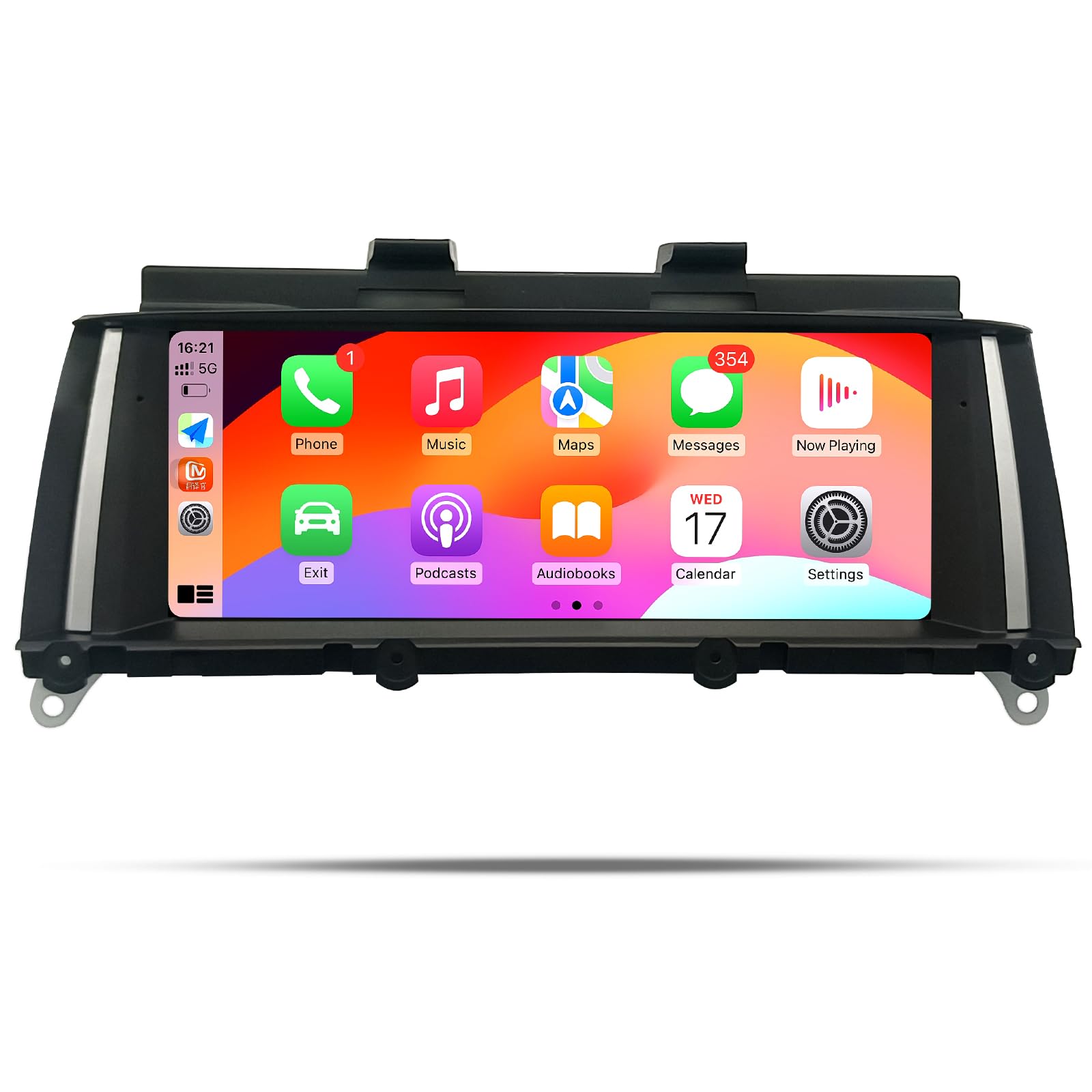
BulletPoint1 : Plug and play,Suitable For BMW X3 F25 (2011-2013) CIC system,If you are unsure if this device is suitable for your vehicle, please contact us first.
BulletPoint2 : Supports wireless (wired) Apple Carplay, wireless (wired) Android Auto, wireless mirrorlink for iOS and Android phones, Bluetooth, WI-FI You can add Carplay/Android features to your car, and you can access map navigation, phone contacts, email, notifications, music, and more through voice calling Siri or Google Voice Assistant. Let you pay more attention and drive to protect you and your family
BulletPoint3 : Dual system,One click switch between Linux system and original car system,The upgraded capacitive touch screen retains all original functions and adds Linux system features, greatly enhancing your experience. This includes the original car radio, amplifier function, factory steering wheel control, original car mouse knob, display speed, fuel level, oil pressure, safety warning, and original reverse camera. No software changes will be made to the vehicle's control unit.
BulletPoint4 : HD 8.9"1920 * 720 high-definition LED display screen. The touch screen has upgraded the original display screen to a large screen, with a multi-point capacitive touch screen and a maximum display angle of 178 degrees. The approximate 1.368000 pixels bring you an excellent visual feast
BulletPoint5 : Built in DSP with 16 EQ segments, EQ preset with various tuning methods, creating sound quality that does not require music for playback; Pressing the preset button can achieve the preset effect. Improve and adjust the overall sound quality of the system in a more detailed manner, making music playback more complete. Adjust the positioning of the car's speakers, as well as the front, rear, left, and right sides, to suit personal preferences and enhance ready-made feel
Color : Linux CIC System
CompatibleDevices : Smartphone
ConnectivityTechnology : Bluetooth
ConnectorType1 : 3.5mm Jack
ConnectorType2 : AUX/USB
ControllerType1 : Google Assistant
ControllerType2 : Touch control
ControlMethod : voice
ControlMethod1 : touch
ControlMethod2 : voice
HasColorScreen : 1
HumanInterfaceInput : touch_screen
HumanInterfaceInput1 : touch_screen_stylus_pen
HumanInterfaceInput2 : touch_pad
IncludedComponents : Car Compass
IncludedComponents1 : 8.9inch touch screen
IncludedComponents2 : Plug and play power cable
IncludedComponents3 : AUX/USB/RCA cable
IncludedComponents4 : Installation tools and touch pen
ItemName : 8.9inch 1920 * 720 Car Stereo for BMW X3 F25 CIC Carplay Android Auto Radio Upgrade Touch Screen DSP Linux System 2011-2013 Bluetooth Linux System
ItemPackageDimensions_Height : 7.08 inches
ItemPackageDimensions_Length : 14.96 inches
ItemPackageDimensions_Width : 7.08 inches
ItemPackageQuantity : 1
ItemTypeKeyword : vehicle-receivers
Language1 : english
Language2 : spanish
Language3 : german
Language4 : french
Language5 : italian
Manufacturer : Uckazy
MapType : Worldwide
MemoryStorageCapacity : 64 GB
ModelNumber : F25NBT
NumberOfItems : 1
OperatingSystem : Android
PartNumber : ZT-V0400C
ProductDescription : Applicable Models & Years: Car Radio For BMW X3 CIC Carplay Android Auto 2011 2012. Car Radio For F25 CIC Carplay Android Auto 2011 2012. Note: This unit is for above BMW vehicles that come with Original CIC System. if your car is 2012 or 2013 year,you need to check the lvds connector to see if it is 4pins or 6 pins,it is very important,it won't work if you choose a incorrect system,thanks >>>Note: CIC and NBT just have display screen lvds plug difference,the rest are the same. >>>CIC means the display LVDS plug is 4pin >>>NBT means the display LVDS plug is 6pin >>>Follow the car year or original Factory head unit screen Menu to choose right one. Please kindly note if your original car has AUX. If your car does not have audio AUX input, you need to order an FM transmitter to help with installation or activate aux function in your local car workshop, the speaker of your original car can make sound. How to link carplay & android auto ① Turn on your phone's Bluetooth and WiFi ② Open the Bluetooth of the device and check the Bluetooth name. Find and connect from the Bluetooth device on the phone. If the device Bluetooth cannot be found, please ignore deleting other excess Bluetooth devices. ③ After authorizing and successfully connecting on the phone, it will automatically enter the CarPlay function interface. Google Phone Settings Same as above The original car system can't be displayer Choose to enter Setup→ Car Settings→ Original car's screen resolution ★Select the correct resolution. IDrive knob not working Choose to enter Setup→ Car Settings→ IDrive→IDrive_A(CCC) or IDrive_B(CCC) Revers view not working Choose to enter Setup→ Car Settings→Reversing setting★(Confirm if it is original car camera or an additional camera )
ProductSiteLaunchDate : 2024-09-20T07:00:00.000Z
Size : 8.9inch
Style : fashion
SupplierDeclaredDgHzRegulation : not_applicable
SupplierDeclaredHasProductIdentifierExemption : 1
SupportedInternetServices : Apple Carplay, Android Auto
SupportedSatelliteNavigationSystem : gps
SurroundSoundChannelConfiguration : 4
TouchScreenType : Capacitive
UnspscCode : 25173100
VideoEncoding : H.264, H.265/HEVC
WarrantyDescription : 1 year
WirelessCommunicationTechnology : Bluetooth
