
Cart 2 india


In2Cart
Rs. 0


Product Information
Specification
Brand : LYNICESHOP
BulletPoint1 :
BulletPoint2 :
BulletPoint3 :
BulletPoint4 :
BulletPoint5 :
Capacity : 1 centiliters
Color : Blue
ExteriorFinish : Machined
ExternallyAssignedProductIdentifier1 : 0763508720541
ExternallyAssignedProductIdentifier2 : 763508720541
FinishType : Chrome
GpsrSafetyAttestation : 1
IncludedComponents : AS SHOW
IncludedComponents1 : 1* Connector
IncludedComponents2 : 1* Oil Nozzle
ItemDisplayDimensions_Height : 0.54 inches
ItemDisplayDimensions_Length : 4.45 inches
ItemDisplayDimensions_Width : 0.54 inches
ItemDisplayWeight : 0.07 pounds
ItemName : Fuel Gasoline Diesel Petrol Oil Delivery Nozzle Dispenser W/Flow Meter, for factories, gas stations
ItemPackageDimensions_Height : 5 centimeters
ItemPackageDimensions_Length : 12 centimeters
ItemPackageDimensions_Width : 9 centimeters
ItemPackageQuantity : 1
ItemTypeKeyword : industrial-hose-dispensing-nozzles
Manufacturer : LYNICESHOP
Material : Aluminum
ModelName : Automotive Replacement Fuel Injection Nozzles
ModelNumber : AC-15A
NumberOfItems : 1
PartNumber : AC-15A
ProductDescription :
Description
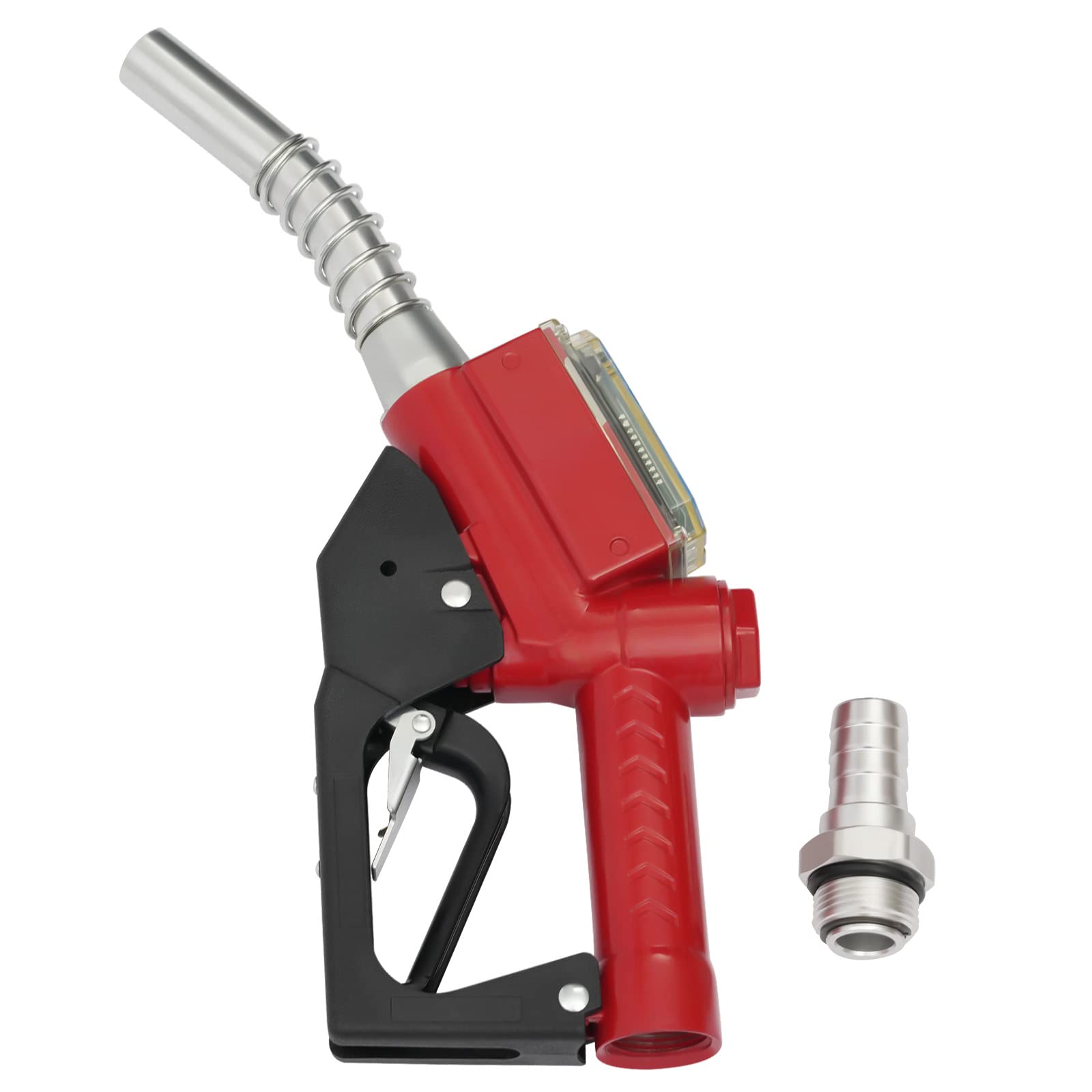
A good oil nozzle can make your refueling job less tedious. Thanks to a flow range of up to 1.5m/ 3h, you can say goodbye to long waits. The ergonomic handle and automatic padlock design allow you to enjoy automatic and comfortable refueling without long presses. It is an ideal choice for you.
Details
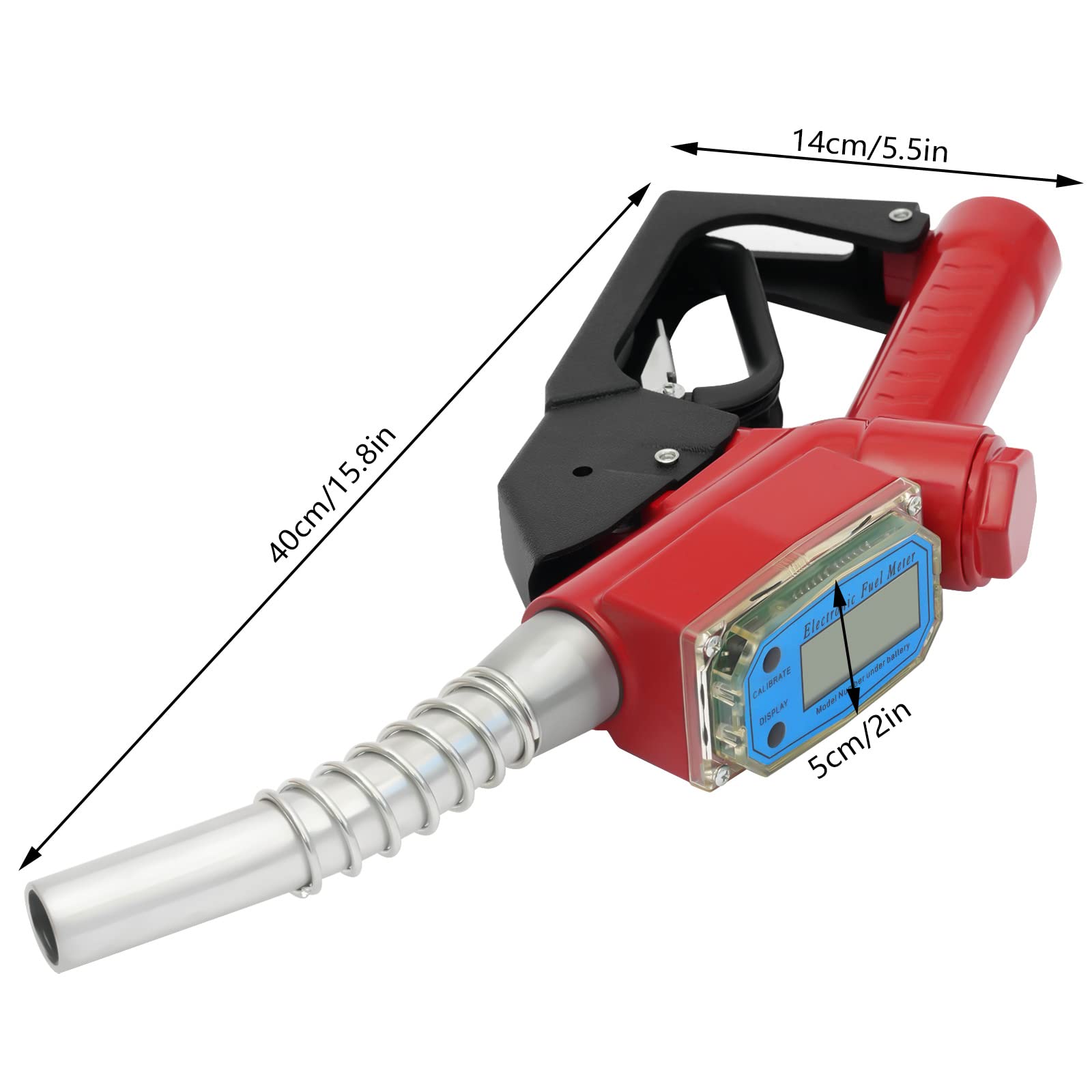
“DISPLAY” Button: Press the DISPLAY button next to the electronic display to zero the current refill amount for the next use.
“CALIBRATE” Button: It allows you to adjust the display units, and error factor and show the status of the refill amount at a glance.
360° Rotating Joint: Its joint adopts a 360° rotating design, which is easy to disassemble. At the same time, the connection is also very stable without oil leakage. So you can use it with confidence.
Spray Paint: The surface of it is treated with spray paint, which is waterproof, anti-rusting and wear-resistant to prolong the use time.
Threaded Handle: When you use it, your fingers will be tightly attached to the handle with non-slip threads, which makes it comfortable for you to hold.
Application
It can be used to fill diesel, kerosene, and gasoline, and is an ideal oil filling equipment for factories, gas stations, etc. And it provides four units of liters, gallons, pints, and quarts for your convenience.
Specification
Model: AC-15A
Color: Red
Material: Aluminum Alloy
Surface Treatment: Spray Paint
Type: Oil Nozzle
Battery Type: Two AAA Batteries
Applicable Media: Diesel, Kerosene, Gasoline
Unit of Measurement: Adjustable Liters, Gallons, Pints, Quarts
Flow Range: 1.5m/ 3h
Oil Inlet Size: 1”
Oil Outlet Size: 1”
Product Size: 40*14*5cm/ 15.8*5.5*2in
Package Size: 37*24.9*9cm/ 14.57*9.8*3.54in
Net Weight: 1.1kg/ 2.43lbs
Gross Weight: 1.36kg/ 3lbs
Units of Measure
The unit of measure can be selected by the panel keys as one of the following four: liters, gallons, pints, and quarts. To change the unit of measurement, press "CALIBRATE" for five seconds and the numbers will flash from left to right. When you press "DISPLAY" to move to the last position, the unit of measurement flashes from top to bottom. Press "CALIBRATE" to select the desired unit of measurement.
Standby Status
The standby state is a low consumption state, and the current refill amount will be displayed when a metering pulse is input.
Current Refill Level Cleared
Press the "DISPLAY" key to zero the current fill volume. The cumulative count is cleared. Press and hold "DISPLAY" while adding batteries to zero the accumulative count.
Figure Display
1.Press and hold the "CALIBRATE" key in standby mode or in the current fill level display to display the accumulated fill level.
2.When the "CALIBRATE" key is released or when a metering pulse is input. Returns to the display of the current fill level.
Error Factor Calibration
1.In the standby state or the current filling quantity display, press the "CALIBRATE" button for 5 seconds and a coefficient will be displayed. The coefficients are adjusted at the factory and should not be adjusted without special reasons. If the error may occur due to different media and pressure, the coefficients can be adjusted.
2.Adjustment method: After pressing "CALIBRATE" for 5 seconds to enter the error coefficient calibration state, the digital flashing display is the coefficient we have set. Press the "DISPLAY" button to shift the digital display from left to right, and press the "CALIBRATE" button to modify the current flashing value from 0 to 9.
Package Included
1* Connector
1* Oil Nozzle
Notes
1.Please replace the battery in time when the display of the flowmeter becomes dim or appears Lbat. And use a battery that can work at least 9000 hours as a power source. Otherwise, it may lead to damage to the flowmeter due to battery leakage during operation.
2.Please allow the slight color difference caused by the shooting light and 1-3 cm error due to manual measurement, and make sure you do not mind before ordering.
ProductSiteLaunchDate : 2024-11-28T03:16:51.871Z
Size : 0.3 Ounces
Style : centimeter
SupplierDeclaredDgHzRegulation : not_applicable
Theme : Rainbow
UnitCount : 1
UnspscCode : 40141600
