
Cart 2 india


In2Cart
Rs. 0

0


Product Information
Specification
AdditionalPrinterFunctions : print_only
AssemblyInstructions : Remove the protective and yellow master sheets from your carbon paper, leaving only the carbon sheet and transfer sheet. Insert the carbon paper face up on top of the printer, where it will be securely held in place. Horizontally flip the image you intend to print (pro tip: adjust image opacity for optimal transfer results). Press print, ensuring the paper is taut to minimise creases. After printing, lift the front flap of the printer to release the paper.
Brand : Brother
BulletPoint : p2035n-1
BulletPoint1 : USABILITY: A unique, customized device experience with Application Library. 5 inches intuitive color touchscreen with smartphone like usability. Create Wi Fi Direct hotspot from the printer to establish direct connection to mobile device(s) without the need for external router
BulletPoint2 : QUALITY AND RELIABILITY: Canon's signature reliability and engine technologies help keep productivity high and minimize the impact on support resources. Intuitive maintenance videos for common tasks like consumables replacement
BulletPoint3 : WORKFLOW EFFICIENCY: Supports mobile solutions for printing and scanning. Scan and convert documents to searchable digital files through a simplex document feeder. Designed for small print jobs with first print time as fast as 10. 3 seconds
BulletPoint4 : COST EFFICIENCY: High capacity, all in one cartridge helps reduce overall supply costs. Out of the box, standard two sided printing plus the ability to print multiple pages onto one sheet helps to reduce paper consumption
BulletPoint5 : SECURITY FEATURES: Helps mitigate risk of confidential information loss as documents are only stored in short term memory. Security settings can be set behind an administrator log in
Color : Black
ColorDepth : 1 bpp
CompatibleDevices : Smartphones
CompatibleDevices1 : Smartphones
CompatibleDevices2 : PC
ConnectivityTechnology : USB
ConnectivityTechnology1 : Wi-Fi
ConnectivityTechnology2 : Wireless
ControllerType : Android
ControlMethod : application
ControlMethod1 : touch
ControlMethod2 : remote
Duplex : Automatic
ExternallyAssignedProductIdentifier1 : 012502668923
ExternallyAssignedProductIdentifier2 : 0012502668923
HardwareInterface : usb_c
IncludedComponents : Power cable
ItemName : PJ883 300dpi Printer only
ItemPackageDimensions_Height : 2 inches
ItemPackageDimensions_Length : 11 inches
ItemPackageDimensions_Width : 2 inches
ItemPackageQuantity : 1
ItemTypeKeyword : laser-printers
Manufacturer : Brother Mobile Solutions
MaxCopyResolutionBlackWhite : 300 dpi
MaxCopyResolutionColor : 300 dpi
MaxCopySpeedBlackWhite : 1 pages_per_minute
MaxInputSheetCapacity : 100
MaxPrintResolutionBlackWhite : 300 dpi
MaxPrintResolutionColor : 300 x 300 dpi
MaxPrintspeedBlackWhite : 1 pages_per_minute
MaxPrintspeedColor : 1 pages_per_minute
MediaSizeMaximum : A4
MemoryStorageCapacity : 64 MB
MfgSeriesNumber : Laserjet
ModelName : PJ883
ModelNumber : PJ883
ModelSeries : PocketJet
NationalStockNumber : 7025-01-590-3339
NumberOfItems : 1
NumberOfTrays : 1
PaperSize : 210 millimeters
PartNumber : PJ883
PrinterOutput : Monochrome
PrinterTechnology : Thermal
PrintMediaType : labels
ProcessorCount : 1
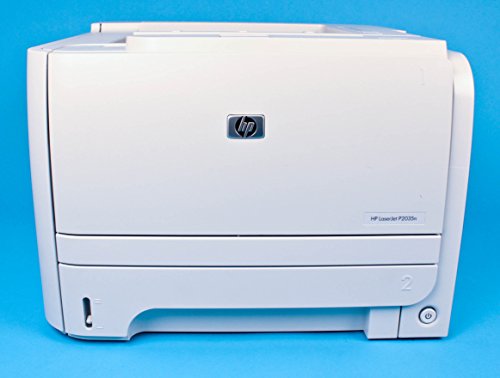
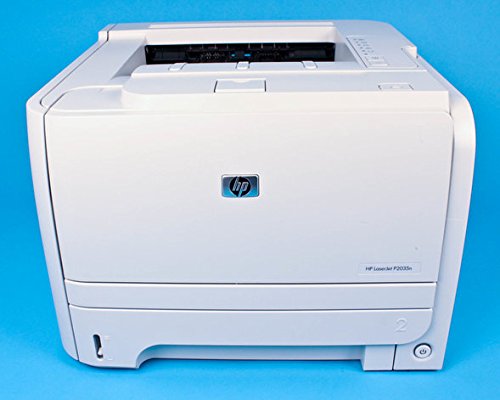
ProductDescription : he Brother PocketJet PJ-883 is a compact, 300 dpi mobile printer for producing quotations, invoices, and other reports in the office and on the go. It fits in most briefcases and computer bags and can also be permanently installed in vehicles using an optional vehicle mounting kit. The lightweight PocketJet allows you to streamline the work of field sales, field service, logistics, delivery, and emergency service. Print high-quality A4-sized prints in 300 dpi resolution at a speed of up to 13.5 pages per minute. As a thermal printer, the PJ-883 doesn't use any ink, toner, or ribbons. The only consumable used is paper. The PJ-883 can be powered by an AC power adapter or a high-capacity battery, both sold separately (please see Accessories tab). It supports charging and data transfer via its USB-C connection and features Bluetooth and Wi-Fi connectivity for efficient mobile use. Brother also offers a range of SDKs for iOS, Android, and Windows for integrating the printer into your own apps and software. The PocketJet additionally supports a variety of printer command languages, including ZPL2 emulation. Wi-Fi connectivity is fast and secure with support for 2.4 and 5 GHz transmission. Additionally, with built-in support for Wireless Direct, you can print directly to the printer without connecting via a Wi-Fi router. Also, AirPrint and MOPRIA support allow you to print directly from supported apps and desktop software without installing printer drivers or integrating printing capabilities within apps.
ProductSiteLaunchDate : 2022-11-23T15:08:10.827Z
Resolution : 300 x 300
ScannerType : Sheetfed
SeriesNumber : 883
Size : Mid Size
StandardOutputSheetCapacity : 100
Style : White
SupplierDeclaredDgHzRegulation : not_applicable
SupplierDeclaredDgHzRegulation1 : not_applicable
SupplierDeclaredDgHzRegulation2 : not_applicable
SupplierDeclaredDgHzRegulation3 : not_applicable
SupplierDeclaredDgHzRegulation4 : not_applicable
SupportsDualSidedPrinting : 1
TotalEthernetPorts : 1
TotalUsb20Ports : 1
TotalUsbPorts : 1
UnspscCode : 43212100
WarrantyDescription : 90 days limited warranty
WarrantyType : limited warranty
WirelessCommunicationTechnology : Wi-Fi
