
Cart 2 india


In2Cart
Rs. 0

0


Product Information
Specification
Brand : suckoo
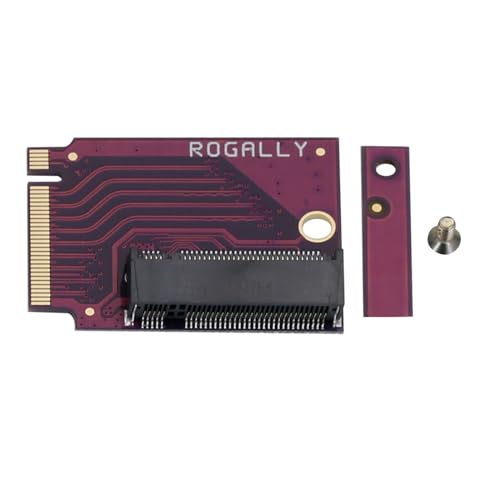
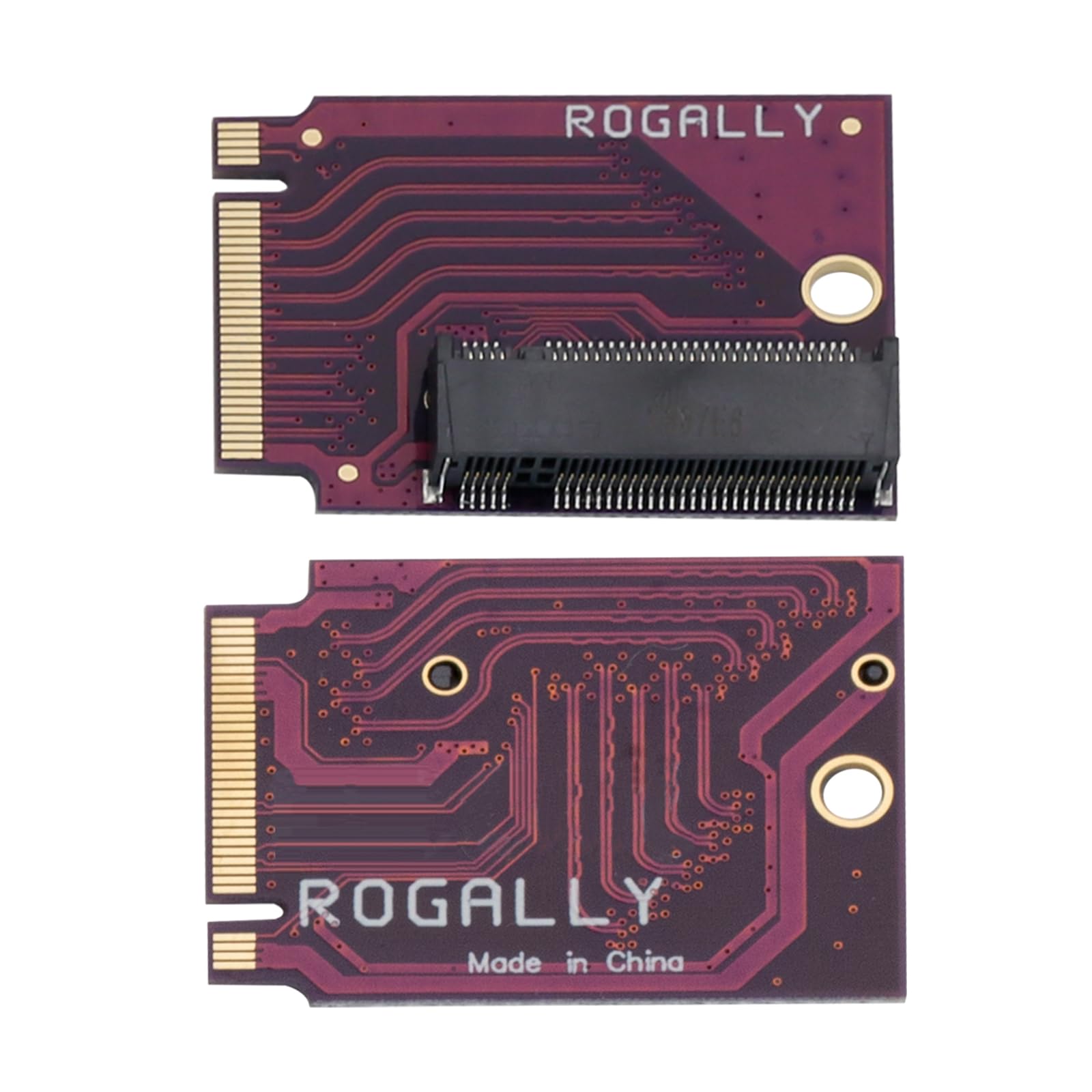
BulletPoint1 : Brand Suckoo For Rog Ally Palm 2280 Replacement 2230 SSD Expansion High Capacity Adapter Board NVME M-Key NGFF M.2 PCIE 4.0 Gold Finger Adapter 90 Degree Palm Internal Accessories Converter Purple.
BulletPoint2 : This is an expansion board for the ROG ALLY Smart Pocket PC to upgrade a 2230 size M.2 SSD to a 2280 size NVME M-Key 5pin M.2 PCIE 4.0 3.0 SSD. The expansion board features a 90 degree purple design that better fits the body of the ROG ALLY handheld, while providing higher transfer speeds and greater storage capacity to meet users' needs for high speed, high capacity storage.
BulletPoint3 : The expansion board also adopts high quality four layer resistor board material and gold immersion manufacturing process, which provides stable and reliable performance and better user experience. Color: Purple 90 degree short board, Product size: 3.3x2.4x0.4 cm, Accessories: 1pc of this product + 1pc of small spacer + 1pc of screw.
BulletPoint4 : It should be noted that the use of this expansion board requires a certain degree of technical and operational skills, it is recommended to install and use under the guidance of professionals.
BulletPoint5 : 1, first replace the 2280 SSD to the gold finger adapter board, ready to clone the system operation. 2, boot into the system, connect the hard disk, open DiskGenius, use the "System Migration" function to clone the system disk of the original hard disk to the new hard disk.
Color : Purple
CompatibleDevices : ROG ALLY Smart Pocket PC
ConnectorType : Edsff Ssd
ControlMethod : application
CurrentRating : 2 amps
FinishType : Abs
GpsrSafetyAttestation : 1
HardwareInterface : pci_x_16
ItemName : Suckoo for Rog Ally Pocket PC 2280 Replacement 2230 SSD Expansion High Capacity Adapter Plate NVME M-Key NGFF M.2 PCIE 4.0 Gold Finger Adapter 90 Degree Pocket PC Internal Accessory Converter
ItemPackageDimensions_Height : 9.4 centimeters
ItemPackageDimensions_Length : 0.6 centimeters
ItemPackageDimensions_Width : 5.8 centimeters
ItemPackageQuantity : 1
ItemTypeKeyword : memory-card-adapters
Manufacturer : suckoo
ModelNumber : suckoo 285
NumberOfItems : 1
NumberOfPorts : 1
OperatingSystem : Chrome OS
OperatingSystem1 : Linux
OperatingSystem2 : Mac OS
PartNumber : suckoo 285
PowerPlugType : type_a_2pin_na
ProductDescription : Brand Suckoo For Rog Ally Palm 2280 Replacement 2230 SSD Expansion High Capacity Adapter Board NVME M-Key NGFF M.2 PCIE 4.0 Gold Finger Adapter 90 Degree Palm Internal Accessories Converter Purple. This is an expansion board for the ROG ALLY Smart Pocket PC to upgrade a 2230 size M.2 SSD to a 2280 size NVME M-Key 5pin M.2 PCIE 4.0 3.0 SSD. The expansion board features a 90 degree purple design that better fits the body of the ROG ALLY handheld, while providing higher transfer speeds and greater storage capacity to meet users' needs for high speed, high capacity storage. The expansion board also adopts high quality four layer resistor board material and gold immersion manufacturing process, which provides stable and reliable performance and better user experience. Color: Purple 90 degree short board, Product size: 3.3x2.4x0.4 cm, Accessories: 1pc of this product + 1pc of small spacer + 1pc of screw. It should be noted that the use of this expansion board requires a certain degree of technical and operational skills, it is recommended to install and use under the guidance of professionals. 1, first replace the 2280 SSD to the gold finger adapter board, ready to clone the system operation. 2, boot into the system, connect the hard disk, open DiskGenius, use the "System Migration" function to clone the system disk of the original hard disk to the new hard disk.
ProductSiteLaunchDate : 2023-12-13T16:08:26.793Z
Size : 3.3x2.4X0.4CM
SpecificUsesForProduct : Laptop
Style : Classic
SupplierDeclaredDgHzRegulation : not_applicable
UnitCount : 1
UnspscCode : 43201400
WarrantyDescription : 1 Year Warranty
WarrantyType : No Warranty
