
Cart 2 india


In2Cart
Rs. 0

0


Product Information
Specification
Brand : USonline911
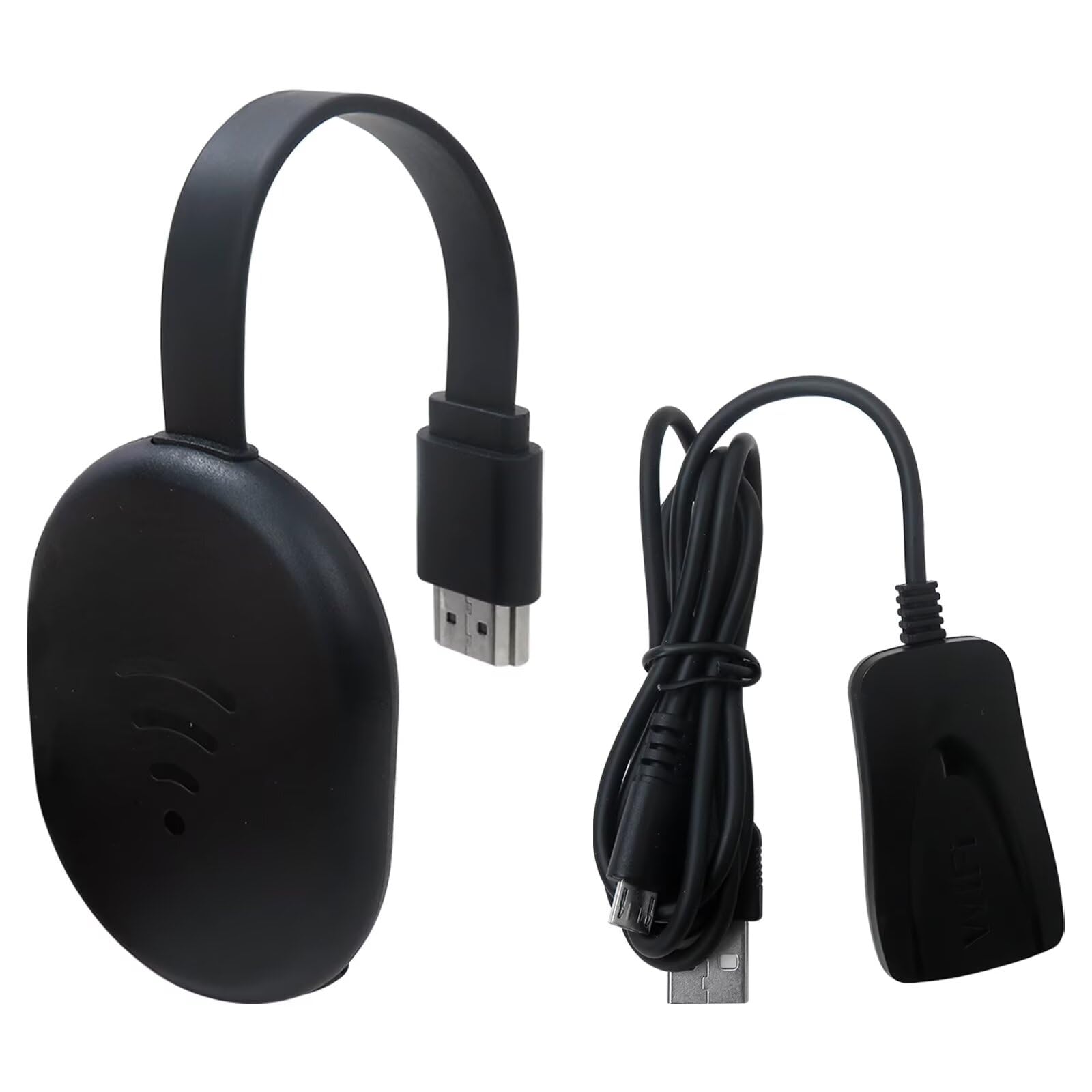
BulletPoint : Specification:Color: Black Item size: 11.0 * 4.7 * 2.1cm / 4.33 * 1.85 * 0.83inItem weight: 57g / 2.01ozPackage size: 14.0 * 12.5 * 8.0cm / 5.51 * 4.92 * 3.15inPacage weight: 402g /14.17oz
BulletPoint1 : 【Screen mirroring】Casting and mirroring streaming YouTube from android and for ios devices, allows you to watch audio or video from a small screen(for Smartphone/laptop/ipad)to a large screen device (TV/monitor/projector). Without using long and messy cables, you can enjoy HD movies in the living room
BulletPoint2 : 【Compatibility】This is a standalone device.once connected to an HDMI input and power,the dongle displays a helpful screen to make connecting to it a breeze.only needs to connect to the wireless signal of the adapter,you can put on the mobile device movies,office files,etc.on the mobile device to the high-definition TV/projector.Note:don’t support with some Subscribed paid Apps which have "HDCP" video copyrights protection like: not for Netflix/Hulu/Comcast tv/BT Sport,etc
BulletPoint3 : 【Compatibility】This wireless display adapter fit for iOS phone, for Android phone, for MacBook pro air and for windows devices
BulletPoint4 : 【Wireless and easy connection】This wireless TV dongle adapter requires no app and is easy to set up. Remember you will need 5V/1A power for the included USB cable. Many modern TVs and projectors have a USB port near the HDMI input that works with the device. If the port is occupied, a battery pack will work
BulletPoint5 : 【Safe use】Our company is committed to providing the best products and services. There is a dedicated after-sales service team. If you have any questions, please feel free to contact us
BulletPoint6 : 【Convenient Connection】: 2.4GHz/ 5GHz Dual Band WiFi and Bluetooth 5.0, support mouse and keyboard via USB or via Bluetooth, you can operate it more conveniently. Much more connection options when you watch videos and play games, etc.
Color : Black
CompatibleDevices : Television
CompatibleDevices1 : Smartphone
CompatibleDevices2 : Tablet
CompatibleDevices3 : Television
ConnectivityTechnology : USB
ConnectivityTechnology1 : Bluetooth
ConnectivityTechnology2 : HDMI
ConnectivityTechnology3 : Wi-Fi
ConnectivityTechnology4 : USB
ConnectivityTechnology5 : 4G sim
ConnectorType : Micro USB
ConnectorType1 : HDMI
ConnectorType2 : Micro USB
ControllerType : Voice Control
ControlMethod : remote
ExternallyAssignedProductIdentifier1 : 711463943789
ExternallyAssignedProductIdentifier2 : 0711463943789
FitType : Vehicle Specific
FormFactor : TV Box
IncludedComponents : Remote
IncludedComponents1 : Streaming Player
IncludedComponents2 : Remote Control
IncludedComponents3 : HDMI Cable
IncludedComponents4 : Power Adapter
ItemName : Wireless HDMI Display Dongle Adapter, Video Mirroring Dongle Receiver Support for Mac iOS Android Casting/Mirroring to TV/Projector/Monitor, TV Adapter for YouTube,
ItemPackageDimensions_Height : 4 inches
ItemPackageDimensions_Length : 4 inches
ItemPackageDimensions_Width : 4 inches
ItemTypeKeyword : streaming-media-players
Manufacturer : USonline911
Material : Plastic
MemoryStorageCapacity : 16 GB
ModelName : TV Stick
ModelNumber : TV Stick
NumberOfBoxes : 1
NumberOfItems : 1
PartNumber : 9021-FBA6335
ProductDescription : Physical Setup:
1.Connect the dongle to the TV's HDMI port.
2.Connect the dongle's USB cable to the TV's USB port or a USB power block.
3.Turn on the TV and set the input to the dongle's HDMI port.
4.Make sure the device's blue main screen appears on the TV.
Android System Mirroring
1.Confirm that the device's blue main screen appears on the TV.
2.In the "Cast " function, select the 'Cattv-XXXX' device, wait for a few seconds, and the phone screen will automatically appear on the TV after a successful connection.
iOS System Mirroring
1.Go to Settings > Wi-Fi > OTHER NETWORKS > select "Cattv-XXXX" and enter the password "12345678"
2.Tap "Screen Mirroring" > choose "Cattv-XXXX"
Note: Android systems can use the mirroring function while connected to home Wi-Fi, but Apple devices need to have phone data enabled to use the mirroring function.
The DLAN function is the core feature of this product.
To set up DLNA, you first need to establish a network connection between the device and the router. The specific steps will be displayed on the blue main screen.
Question:
How to use DLNA functionality on Android and iOS phones
Answer:
Open the audio and video app on your phone, select the program source you want to play, and after it starts playing, tap the DLNA/Airplay screen casting button in the top right corner of the video. Search for "Casttv-XXXX" and tap on it to start using DLNA/Airplay playback.
Note:
1.In DLNA mode, all you need to do is set up the network for the first time. After that, it will automatically connect to the WiFi you initially connected to whenever you turn it on.
2.If you have already established a network connection between the device and the router but cannot find "Casttv-XXXX" on your mobile device, you need to check if your router's name contains special characters such as spaces.
ProductSiteLaunchDate : 2025-01-25T08:03:31.203Z
RecommendedUsesForProduct : Business
Resolution : 4k
Size : X1
Style : 6+64GB
SupplierDeclaredDgHzRegulation : not_applicable
SupplierDeclaredHasProductIdentifierExemption : 1
SupportedInternetServices : YouTube
UnspscCode : 25170000
VideoCodec : H.265
VideoOutputResolution : 6000x3376
WarrantyDescription : 180 Days Manufacturer
