
Cart 2 india


In2Cart
Rs. 0

0


Product Information
Specification
Brand : ZJchao
BulletPoint1 : [Versatile Applications] between receiving mode for connecting to speakers and startup mode for headphones with ease, providing seamless audio experiences.
BulletPoint2 : [High Compatibility] Compatible with a wide range of devices such as computers, tvs, projectors, and more, offering versatile connectivity options for your audio needs.
BulletPoint3 : [Powerful 2-in-1 Function] Enjoy the convenience of transmitting and receiving signals simultaneously with the yet tr6 abs adapter, for various devices.
BulletPoint4 : [Smart Technology] Equipped with 5.0 chip for stable signal up to 15m, ensuring uninterrupted music playback and sound.
BulletPoint5 : [Easy Setup] Simply plug the adapter into a usb port, connect via 3.5mm audio cable, and pair with your device for quick and hassle- .
Color : #111
CompatibleDevices : Laptop
CompatibleDevices1 : Camera
CompatibleDevices2 : DVD Player
CompatibleDevices3 : Gaming Console
CompatibleDevices4 : Laptop
CompatibleDevices5 : Monitor
ConnectivityTechnology : HDMI
ConnectorGender : Female-to-Male
ConnectorType : USB
ControllerType : Button Control
Hazmat1 : LITHIUM ION BATTERIES CONTAINED IN EQUIPMENT
Hazmat10 : CN_SmallLithiumIonBatteryInEquipment
Hazmat11 : DE_SmallLithiumIonBatteryInEquipment
Hazmat12 : EG_SmallLithiumIonBatteryInEquipment
Hazmat13 : ES_SmallLithiumIonBatteryInEquipment
Hazmat14 : FR_SmallLithiumIonBatteryInEquipment
Hazmat15 : GB_SmallLithiumIonBatteryInEquipment
Hazmat16 : IE_SmallLithiumIonBatteryInEquipment
Hazmat17 : IN_SmallLithiumIonBatteryInEquipment
Hazmat18 : IT_SmallLithiumIonBatteryInEquipment
Hazmat19 : JP_SmallLithiumIonBatteryInEquipment
Hazmat2 : UN3481
Hazmat20 : MX_SmallLithiumIonBatteryInEquipment
Hazmat21 : NL_SmallLithiumIonBatteryInEquipment
Hazmat22 : PL_SmallLithiumIonBatteryInEquipment
Hazmat23 : SA_SmallLithiumIonBatteryInEquipment
Hazmat24 : SE_SmallLithiumIonBatteryInEquipment
Hazmat25 : SG_SmallLithiumIonBatteryInEquipment
Hazmat26 : TR_SmallLithiumIonBatteryInEquipment
Hazmat27 : US_SmallLithiumIonBatteryInEquipment
Hazmat28 : ZA_SmallLithiumIonBatteryInEquipment
Hazmat3 : II
Hazmat4 : 9
Hazmat5 : AE_SmallLithiumIonBatteryInEquipment
Hazmat6 : AU_SmallLithiumIonBatteryInEquipment
Hazmat7 : BE_SmallLithiumIonBatteryInEquipment
Hazmat8 : BR_SmallLithiumIonBatteryInEquipment
Hazmat9 : CA_SmallLithiumIonBatteryInEquipment
IncludedComponents : Transmitter and Receiver
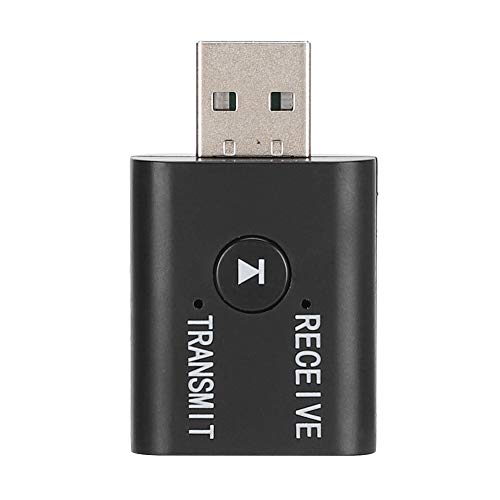
ItemName : Yet TR6 ABS 5.0 Transmitter Receiver Powerful Function Adapter for Various Devices
ItemPackageDimensions_Height : 3 centimeters
ItemPackageDimensions_Length : 14 centimeters
ItemPackageDimensions_Width : 10 centimeters
ItemTypeKeyword : wireless-audio-system-adapters
Manufacturer : ZJchao
ModelName : ZJchaor1push8vf9
ModelNumber : ZJchaor1push8vf9
NumberOfItems : 1
PartNumber : ZJchaor1push8vf9
ProductDescription : [Versatile Applications] between receiving mode for connecting to speakers and startup mode for headphones with ease, providing seamless audio experiences.
[High Compatibility] Compatible with a wide range of devices such as computers, tvs, projectors, and more, offering versatile connectivity options for your audio needs.
[Powerful 2-in-1 Function] Enjoy the convenience of transmitting and receiving signals simultaneously with the yet tr6 abs adapter, for various devices.
[Smart Technology] Equipped with 5.0 chip for stable signal up to 15m, ensuring uninterrupted music playback and sound.
[Easy Setup] Simply plug the adapter into a usb port, connect via 3.5mm audio cable, and pair with your device for quick and hassle- .
Spec:
Condition: Brand New
Item Type: Transmitter Receiver
Material: ABS
Model: YET-TR6
Color: As Pictures Shown
Support Music Transmission/Reception
Technical Support: AD2P
Version: BT5.0 + EDR
Working Range: 8-10m(Without Any Obstacles)
Matching Name(Receiver Mode): YET-TR6
Weight: Approx. 29g
Size: Approx. 42x25x10mm/1.65x0.98x0.39inch
Using instructions
Transmission/reception mode switching
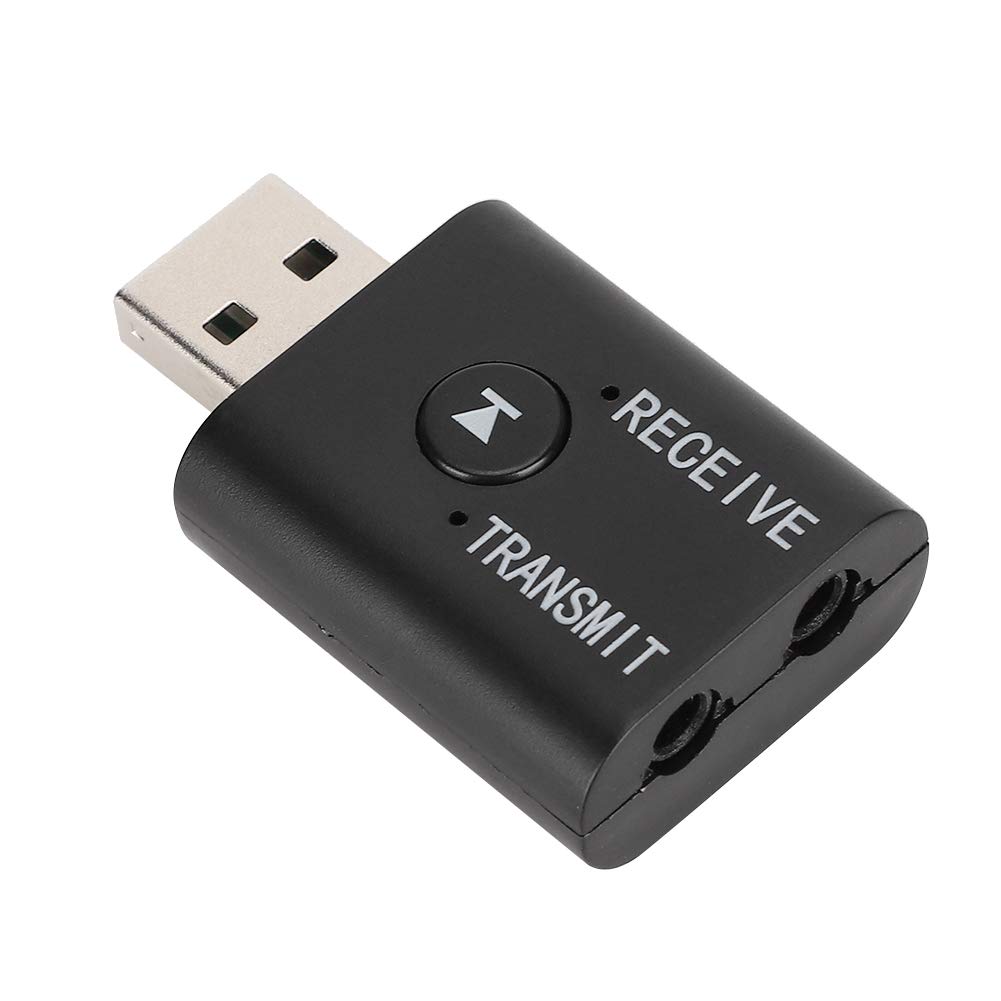
Audio cable insertion line TRANSMTT hole in mode, blue LED
Audio cable inserted into the RECEIVE hole in the receiving mode, red LED
USB insert computer transferring
How to use
Transmitter mode (used to send Comeuter / TV / MP3 audio to headset / sound)
1. The adapter is plugged into the USB power supply, the blue LED flashes and enters the transfer mode
2. Insert one end of the audio cable into the adapter TRANSMIT port, and the other end into the audio output port (OUTPUT) of the TV or other equipment,
Remarks: In transmitter mode, this product has USB
ProductSiteLaunchDate : 2025-02-18T00:00:00.000Z
Resolution : 1080p
Style : Transmitter + Receiver
SupplierDeclaredDgHzRegulation : not_applicable
SupplierDeclaredHasProductIdentifierExemption : 1
SupportedInternetServices : Does not apply
SupportedInternetServices1 : Netflix, Hulu, Disney+, Amazon Prime Video, YouTube, HBO Max, and more!
SupportedInternetServices2 : Zoom, Microsoft Teams, Google Meet, Skype, or Webex.
SupportedInternetServices3 : NVIDIA GeForce NOW, Xbox Cloud Gaming, Google Stadia, or PlayStation Remote Play.
SupportedInternetServices4 : Coursera, Udemy, Khan Academy, or virtual classrooms.
SupportedInternetServices5 : Safari, Google Chrome, Microsoft Edge, or any internet-connected application.
UnspscCode : 43211614
WarrantyDescription : Manufacturer warranty for 90 day
